
Follow-up that runs on its own
Fee reminders on your schedule, late fees computed daily and same-morning alerts to parents of absent students.
Admissions, attendance, exams, fees and parent communication in one system — with reminders, early warnings and reports that run themselves, so your staff can get back to teaching.
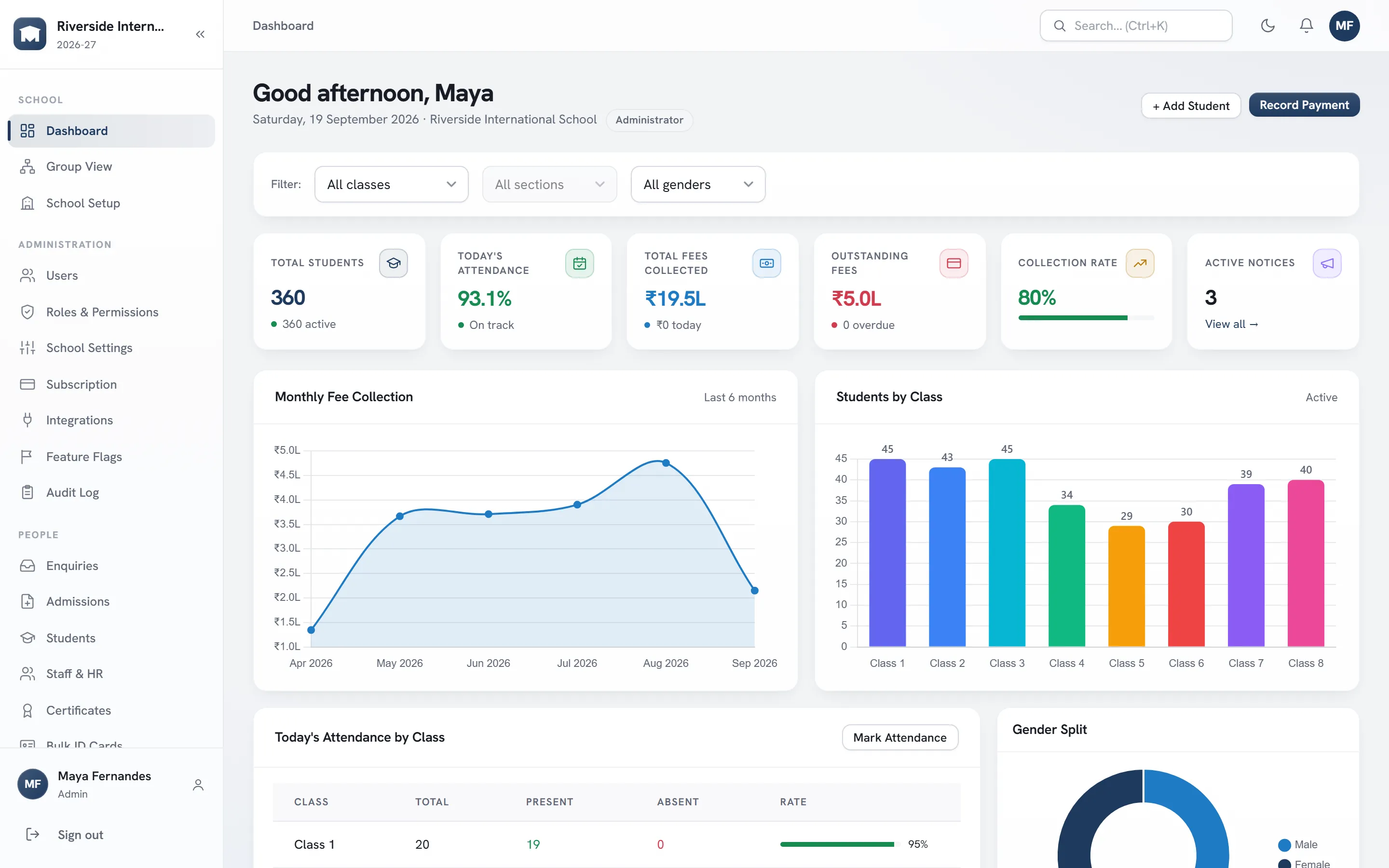
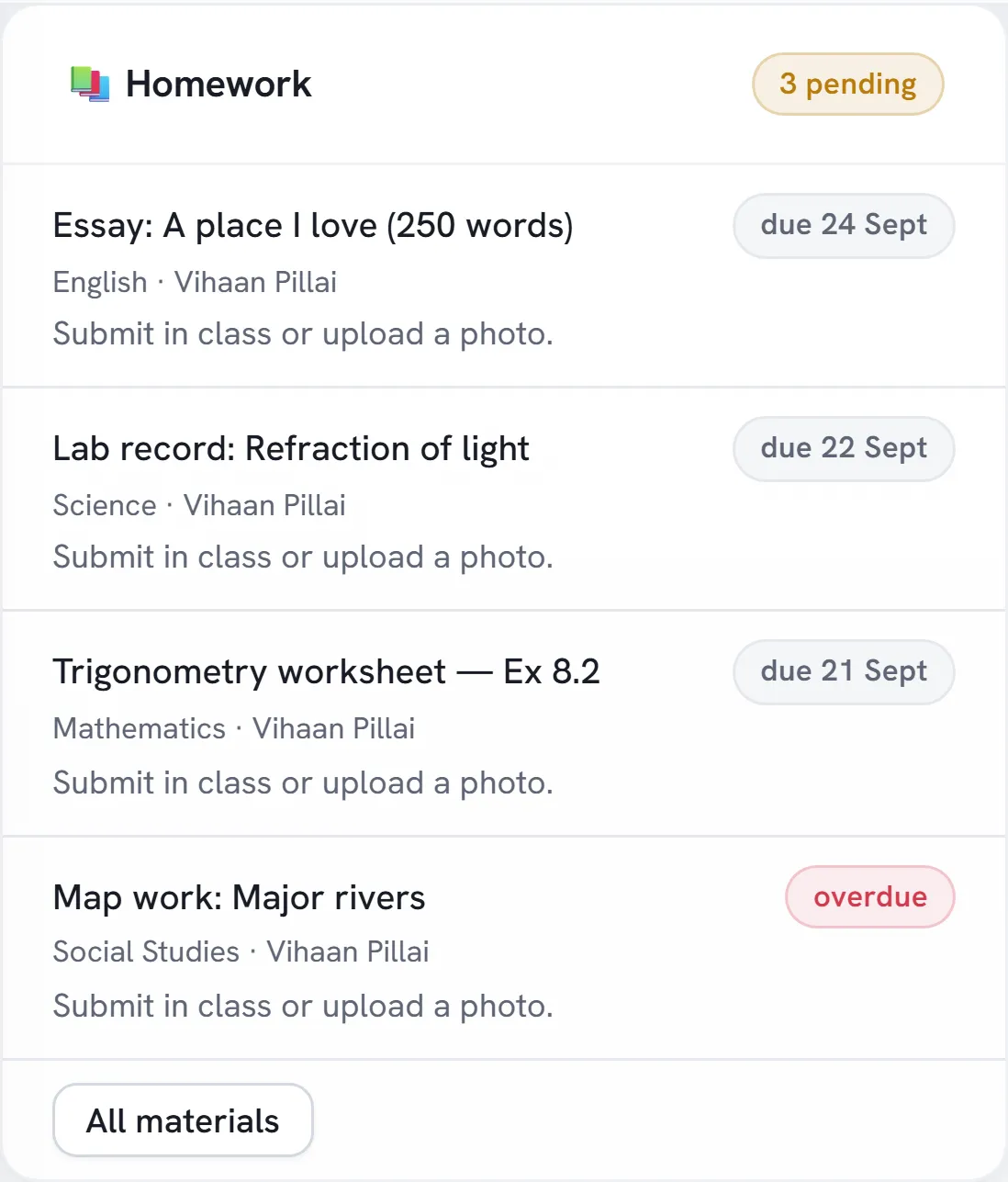
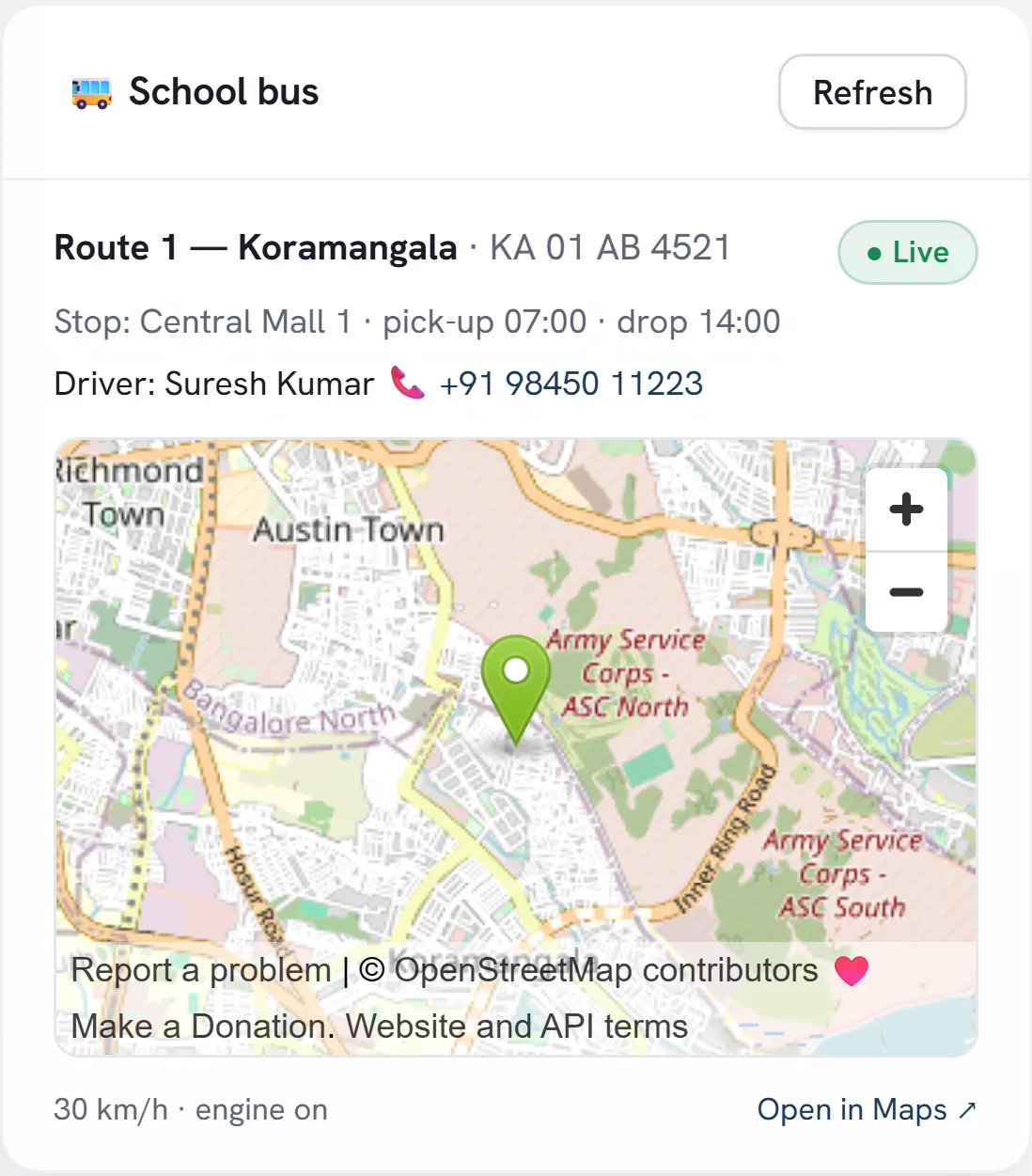
Screens from a demo school with sample data.
Built for K–12 schools, international schools and multi-campus groups
Each role sees the part of the school it runs. These are real screens.
Attendance, collections, admissions and syllabus progress on one screen, and an early-warning list of students whose attendance, marks or fees are slipping.
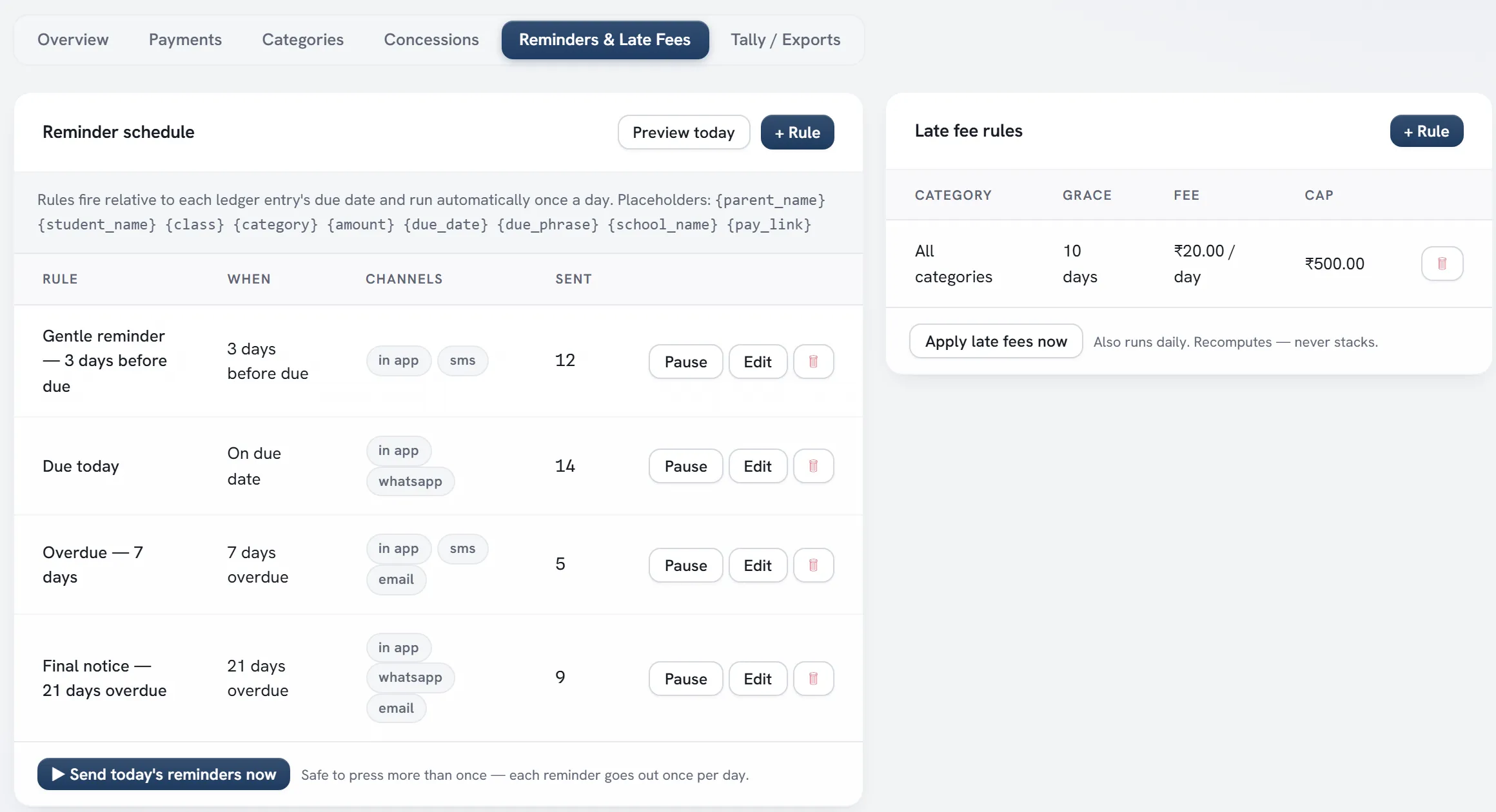
Set the reminder schedule once — before the due date, on the day, after it. Reminders go out automatically, late fees are computed daily, and receipts export straight to Tally.
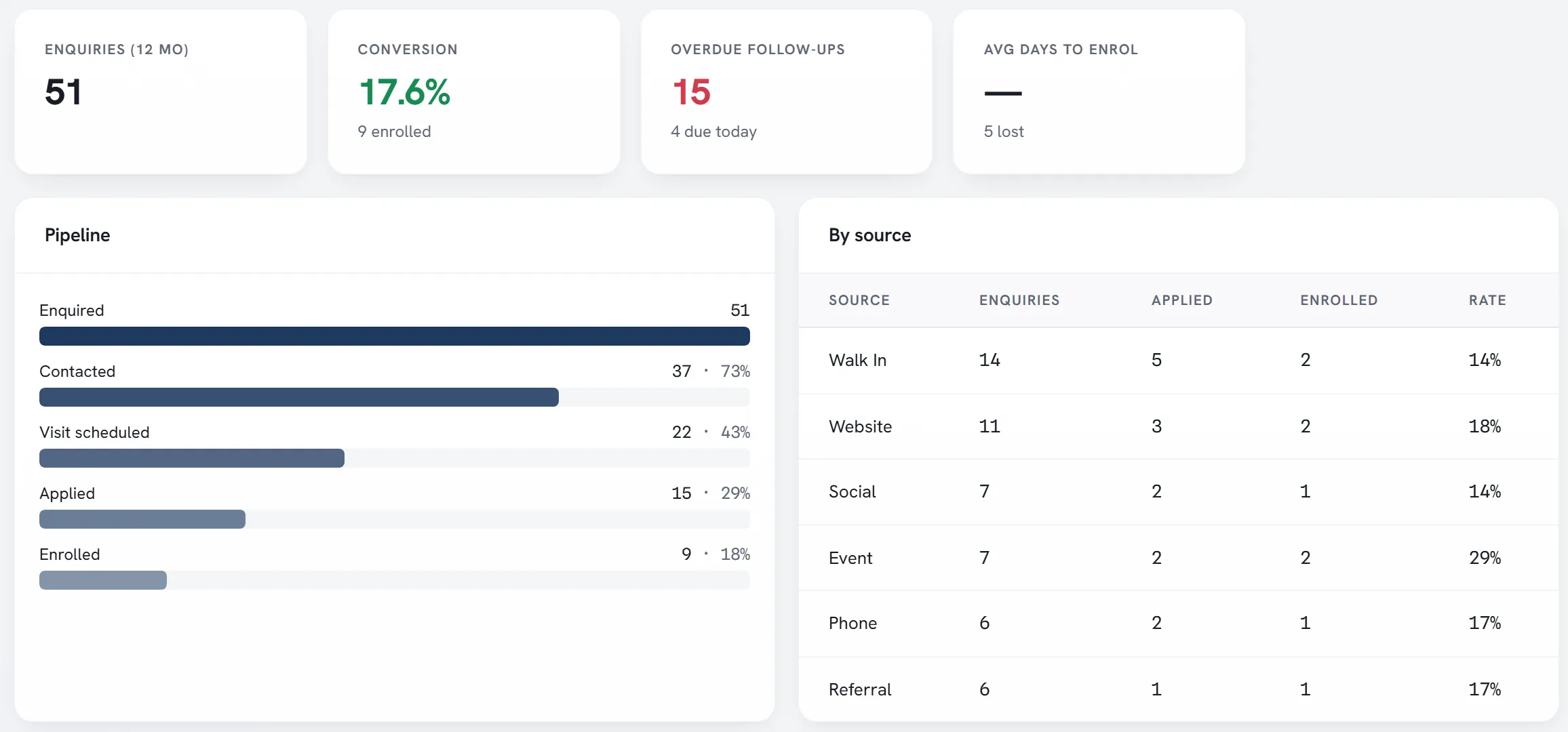
Enquiries arrive from your website form and the front desk. Follow-ups are scheduled, overdue ones stand out, and you can see which sources actually turn into enrolments.
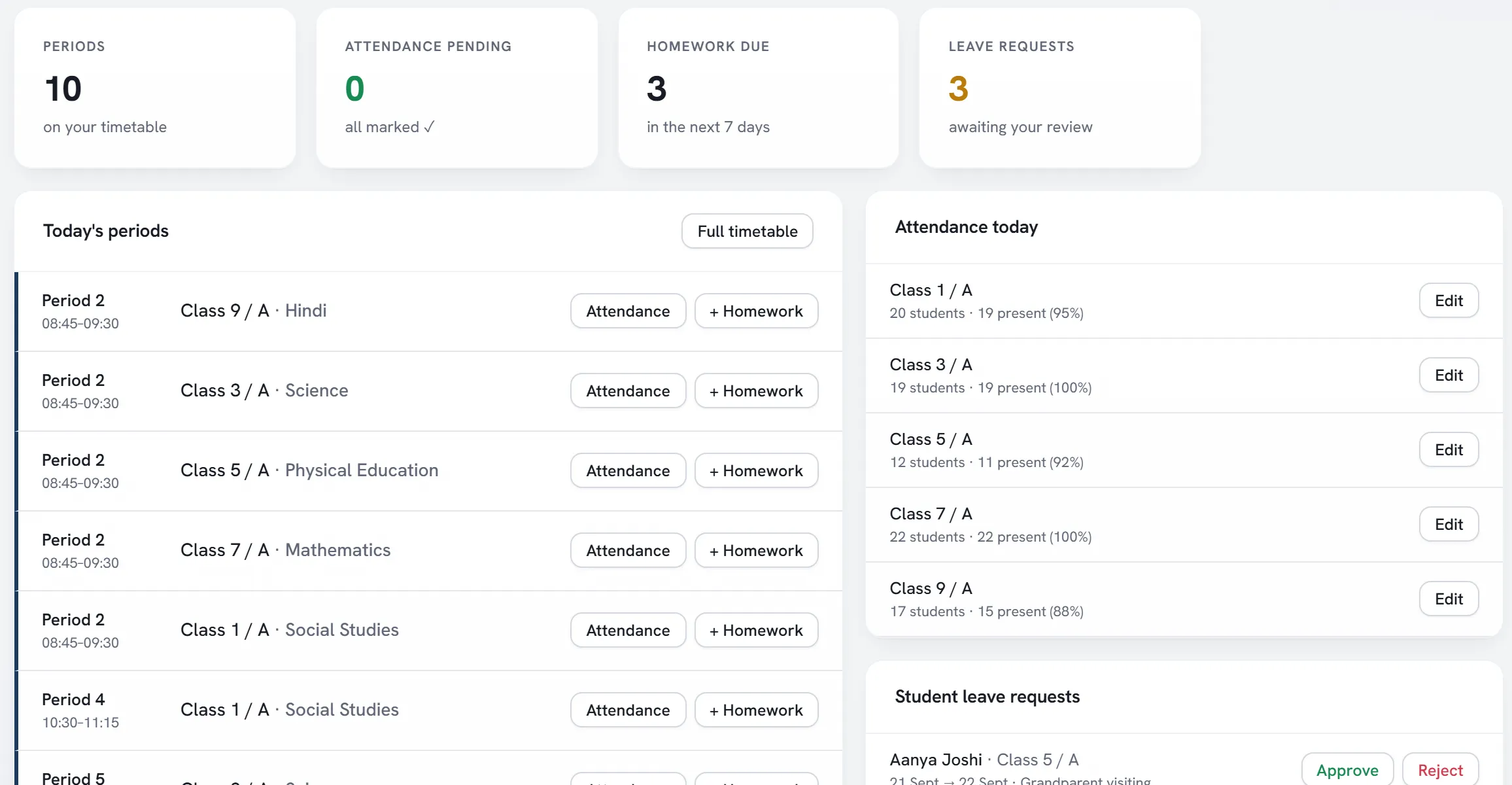
Each teacher sees today’s periods — including substitutions — the classes still to mark, homework due and leave requests waiting for a decision.
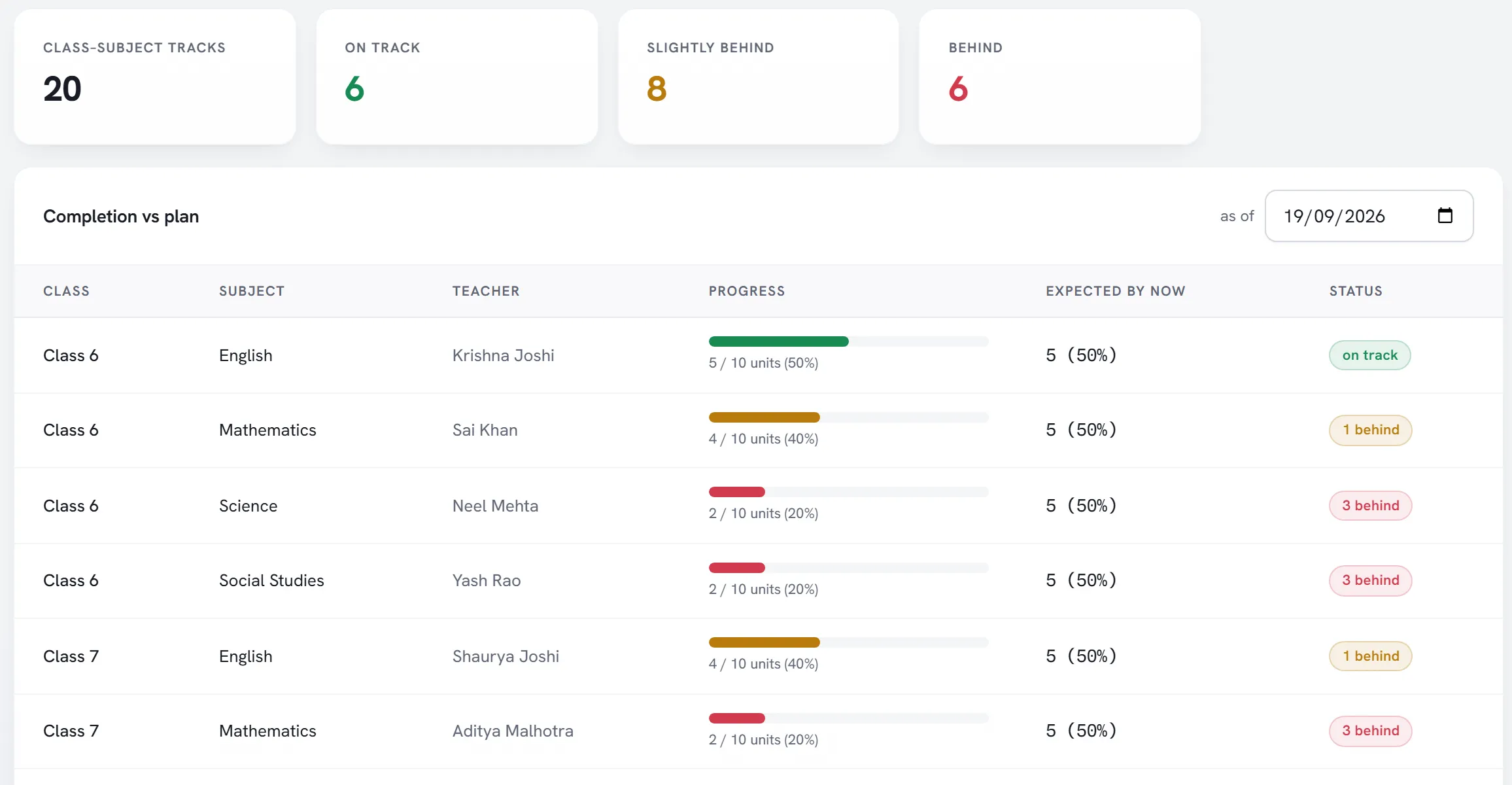
Units are planned per class and subject. Teachers tick them off as they teach, and the overview shows which tracks are on plan, slightly behind or behind.
No app store and no new passwords to juggle — parents open iMetricSchool in their phone’s browser and can add it to the home screen.
Most of it needs no AI at all — just the right automation on data you already enter. AI features are optional, off by default, and run on your own OpenAI, Google or Anthropic account with a monthly budget you set.
Fee reminders on your schedule, late fees computed daily and same-morning alerts to parents of absent students.
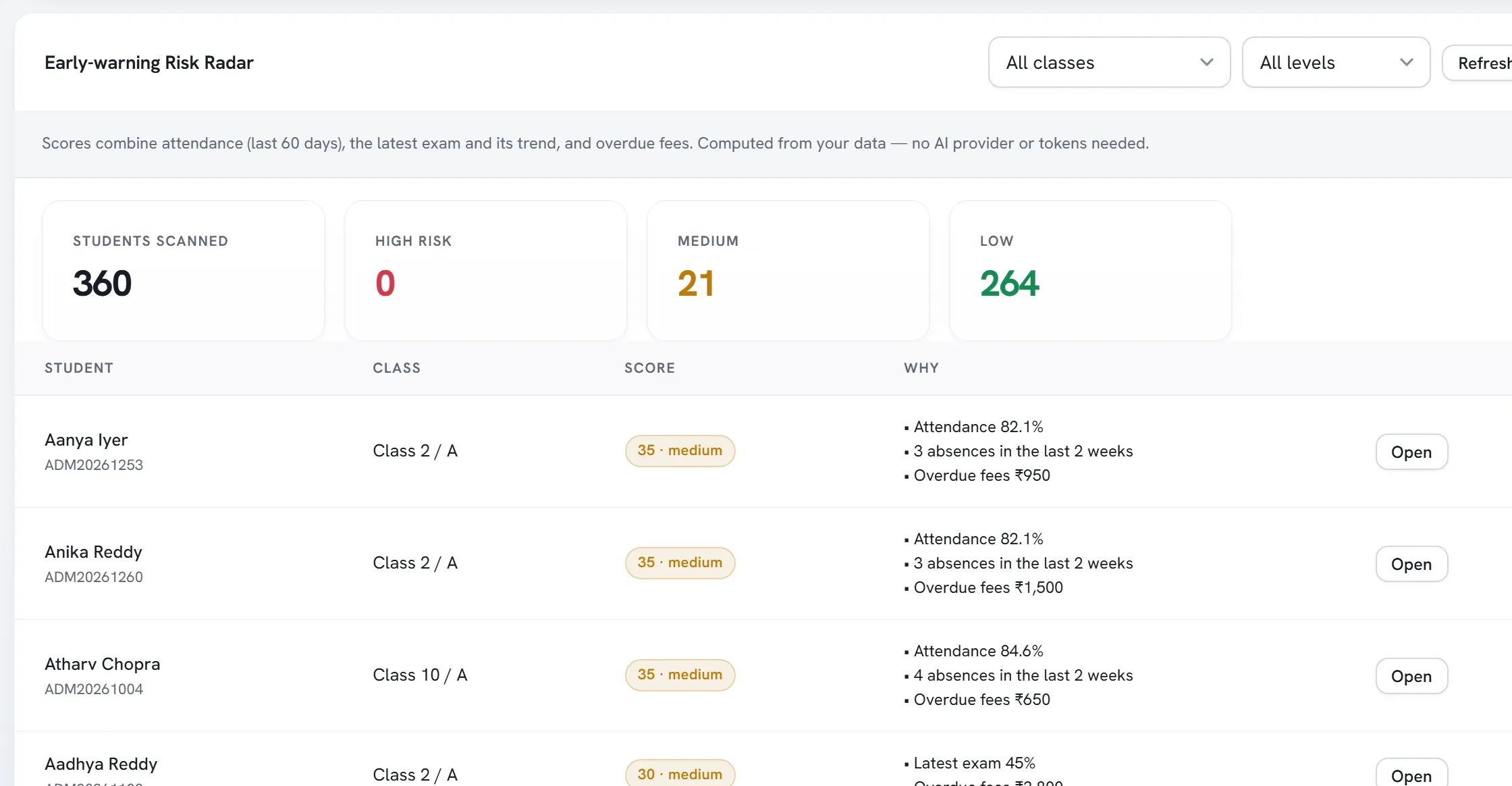
Attendance, the latest marks and their trend, and overdue fees combine into a ranked list — with the reason for every flag.
“Which Class 8 students have fees due and attendance under 75%?” Optional AI answers from live data, within each person’s permissions.
ID cards, certificates and report cards carry a QR code that opens a public verification page — no phone calls to the office.
A student entered once shows up in attendance, exams, fees, transport and the parent app. Switch modules on or off to match how your school works.
Enquiries from your website and walk-ins, follow-ups, admission tests and one-click enrolment — measured as a funnel.
Daily, period-wise or biometric. Parents of absent students are told the same morning.
Validated mark entry, your own grade scales, and report cards anyone can verify by QR code.
Structures, instalments, concessions, online payment, automatic reminders and late fees.
Staff records, leave, substitutions, salary structures and payslips.
Notices, two-way messaging and SMS, email or WhatsApp — plus push notifications on phones.
Routes, stops and live bus location that parents can see from their phone.
Plan units, record lesson plans and see which classes are falling behind the plan.
Student records, fees and health notes need care. Here is what iMetricSchool does about it — no badges, just how it works.
How we protect your dataWe walk through iMetricSchool with your questions — fees, timetable, reports — and agree what a trial should prove.
We create your school. You import students from a spreadsheet; we help configure classes, fee structures, grades and roles.
Staff sign in with their own roles. Parents open it on their phones — no app store needed — and see what matters to them.
Schools joining now get hands-on onboarding from the product team and a real say in what we build next.
AI is off by default. If you turn it on, you connect your own OpenAI, Google or Anthropic account and set a monthly token budget, so you control the cost. The assistant can only run a fixed set of safe queries, and each person can only see data their role already allows.
Yes. Parents and students sign in from any phone browser and can add iMetricSchool to their home screen — no app store needed. They see attendance, fees, results, homework, bus location and notices, and can request leave or pay fees online.
Yes. Each school sets its own currency, time zone, grade scales and document footers. India-specific features such as the UDISE+ export are simply there if you need them. Talk to us about pricing in your region.
A walkthrough with our team: bring your fee structure, timetable or reporting headaches and we will show you how they work in iMetricSchool.